
codex
this is codex
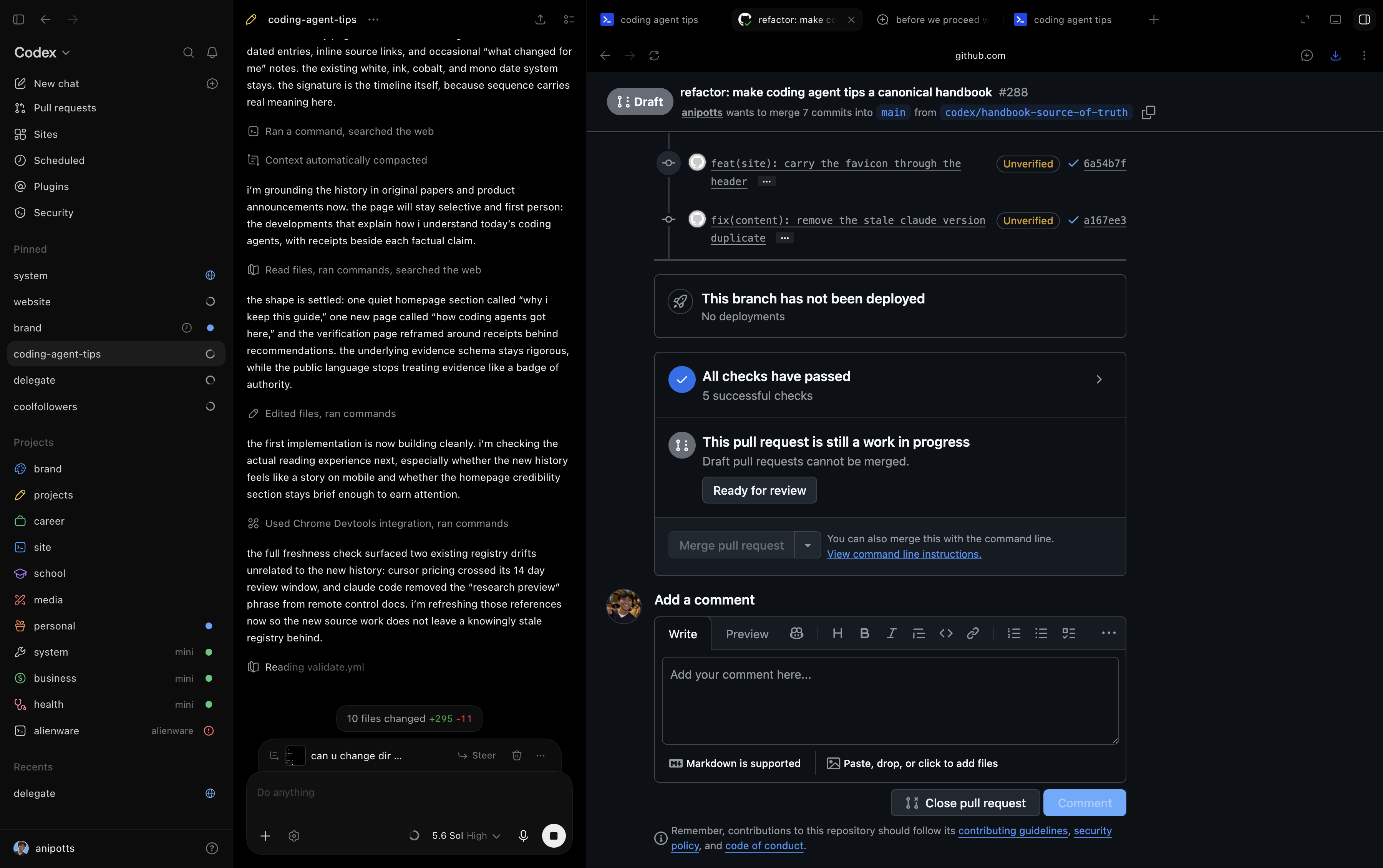
Codex is OpenAI’s agent for software development and technical work. it reads
project context, works through tools, changes files, and checks the result.
you can use it through the terminal Codex CLIOpenAI, learn.chatgpt.comofficial source,
an editor, the desktop app, or a cloud environmentCodex cloudOpenAI, learn.chatgpt.comofficial source.
the surface changes how you steer and inspect the work.
Codex CLIOpenAI, learn.chatgpt.comofficial source,
an editor, the desktop app, or a cloud environmentCodex cloudOpenAI, learn.chatgpt.comofficial source.
the surface changes how you steer and inspect the work.
on the spectrum of how personified these products feel to me, Codex sits somewhere between Claude Code and Grok Bot. the main tasks get descriptive titles, but then i’ve seen a subagent show up named Casper or Socrates. some fucking random names. that small detail gives the agents a bit of personality alongside the work they’re doing.
where can i use Codex?
terminal and editor
the CLI puts the conversation beside commands, output, and the current directory. an editor adds selected code, diagnostics, and inline review. both are useful for a change whose behavior and verification are already clear.
for example, “find why this test fails and fix the implementation” gives the agent a specific path through the repository. inspect the changed code and rerun the command after the fix. the interface helps you see the work; the check explains what the change actually achieved.
desktop and parallel tasks
i use one authoritative Codex thread to keep track of multiple projects, tasks, and contexts running in parallel. it turns what i want into clearer instructions and routes them to the right tasks. i explain that setup in the delegation section.
the desktop app brings conversations, terminals, previews, and review together.
worktreesCodex worktreesOpenAI, learn.chatgpt.comofficial source give
independent changes separate checkouts. each still needs an owner, a clear
outcome, and any local setup needed to run its checks.
this February 2026 walkthrough shows the Codex app’s approach to supervising several tasks.
cloud work and mobile access
cloud tasks use hosted environments with repository setup and dependencies.
RemoteRemote connectionsOpenAI, learn.chatgpt.comofficial source lets a phone or another
supported device steer work on a connected host. the host retains its files,
credentials, tools, and permissions. an SSH project uses the remote machine’s
environment.
check where a task runs before choosing how to control it. a phone can be convenient for answering a narrow question; a wide diff may be easier to review on a larger display. a hosted task needs its own setup even when the same repository already works on your laptop.
how does Codex run a task?
the app serverCodex App ServerOpenAI, learn.chatgpt.comofficial source exposes the agent
loop to clients. a thread holds a conversation, a turn represents a request
and the work it causes, and items describe messages, commands, tool calls, or
file changes. the client receives events as that work progresses and responds
to approval requests when required.
this is useful when building an interface or coordinator around Codex. reading history shows what happened; current status and incoming events show how work is progressing. the client can present those details and route the next instruction to the appropriate thread. use the schema generated by the installed version when an integration depends on particular fields.
instructions, tools, and permissions
repository instructionsCustom instructions with AGENTS.mdOpenAI, learn.chatgpt.comofficial source
provide conventions and verification commands. skills provide procedures.
MCP connections provide operations in other systems. hooks run handlers at
defined events. subagents handle delegated parts of a task. permissions
constrain the actions available to the running session.
for a concrete example, an instruction file can point to the project’s check command, a review skill can explain what to inspect, and a subagent can investigate a particular failure. their roles are explained in extensions and configuration.
can i change Codex itself?
OpenAI publishes the CLI, SDK, and app server as
open sourceCodex open source componentsOpenAI, learn.chatgpt.comofficial source. that makes source
changes possible alongside ordinary configuration and extensions. changing
source involves building or running that version; editing a config file adjusts
the behavior exposed by the installed version. the cloud service and IDE
extension have separate availability in OpenAI’s component list.
how do i check the result?
a useful task ends in something you can evaluate: a reproduced bug, an explained code path, a patch with checks, or a working interface you can use. name that result in the prompt. include constraints that change the work, such as preserving an existing API or keeping another task’s files intact.
then inspect the result at the level the task requires. passing unit tests support the behavior they exercise. a visual change needs a browser check. a pushed branch still needs review and integration before it becomes the version users see.
the configuration guide explains what belongs in project instructions and what memory carries forward. the coordination example shows how one task can route work to others and check what comes back.